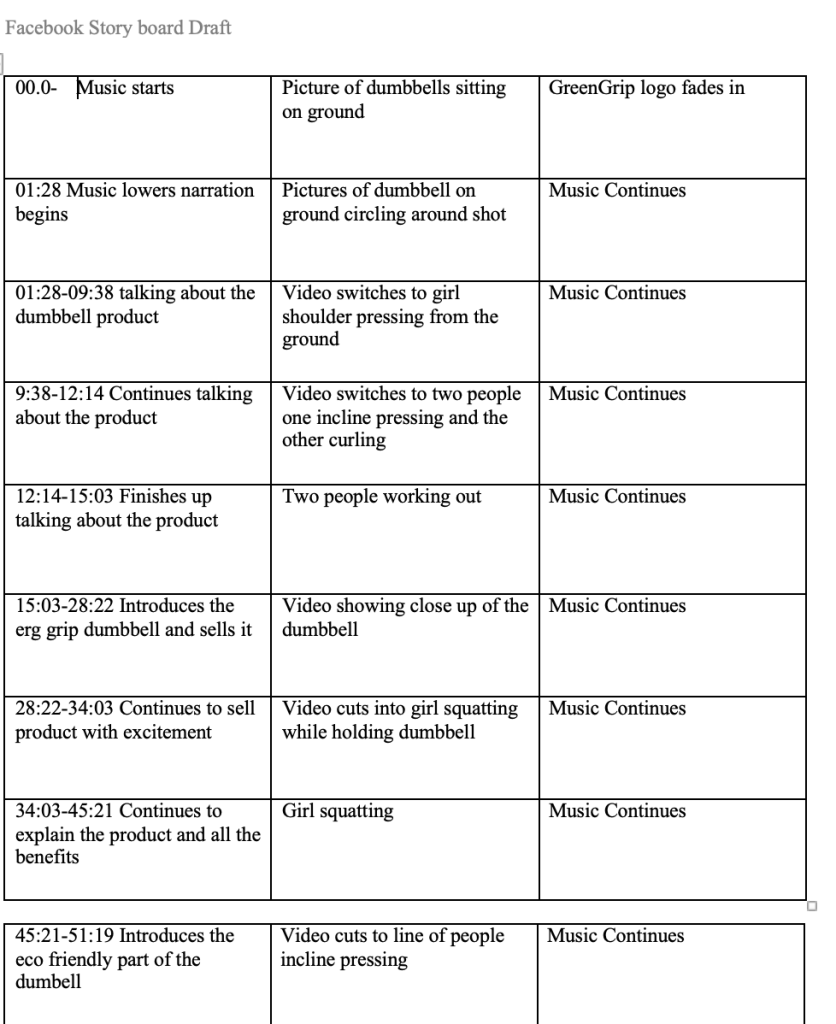
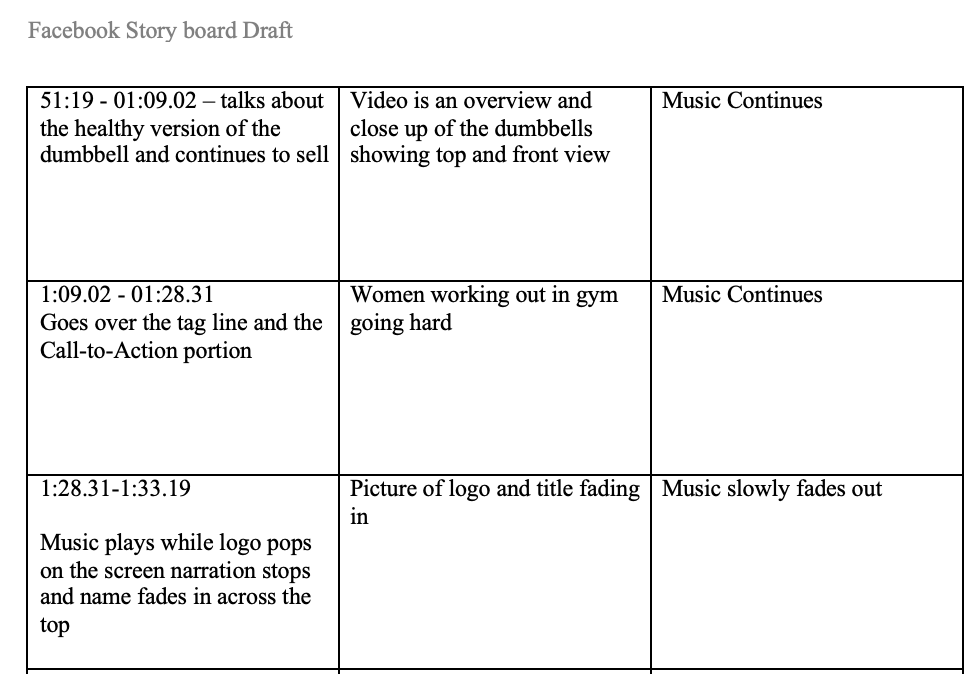
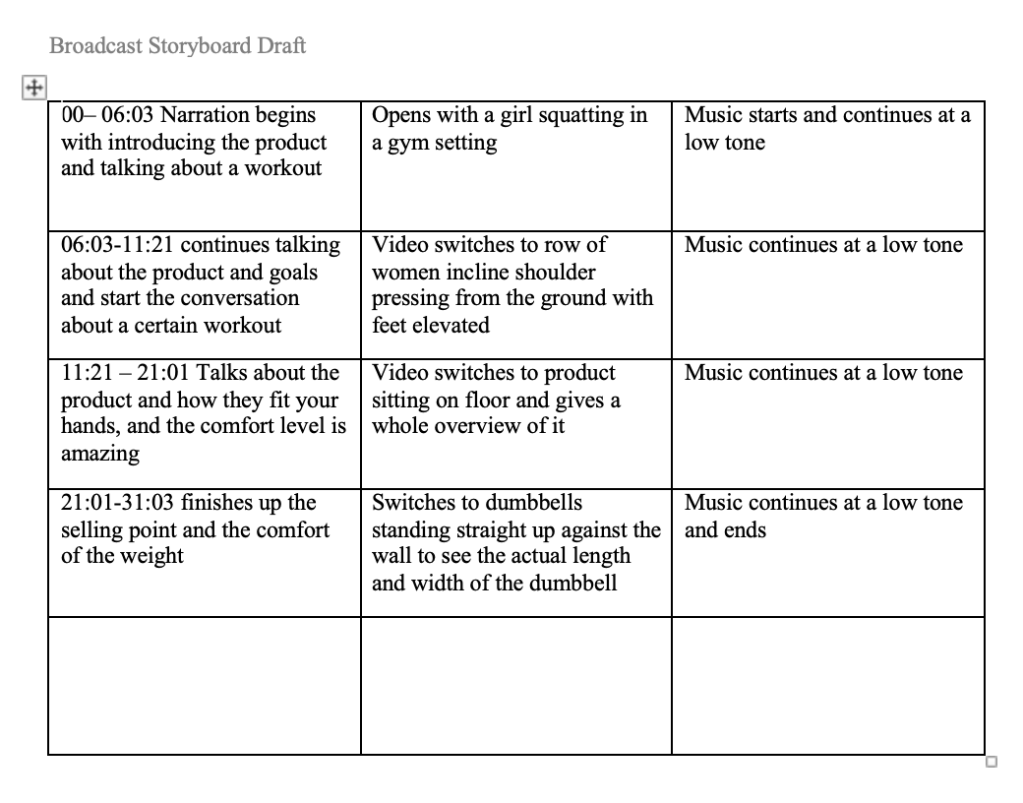
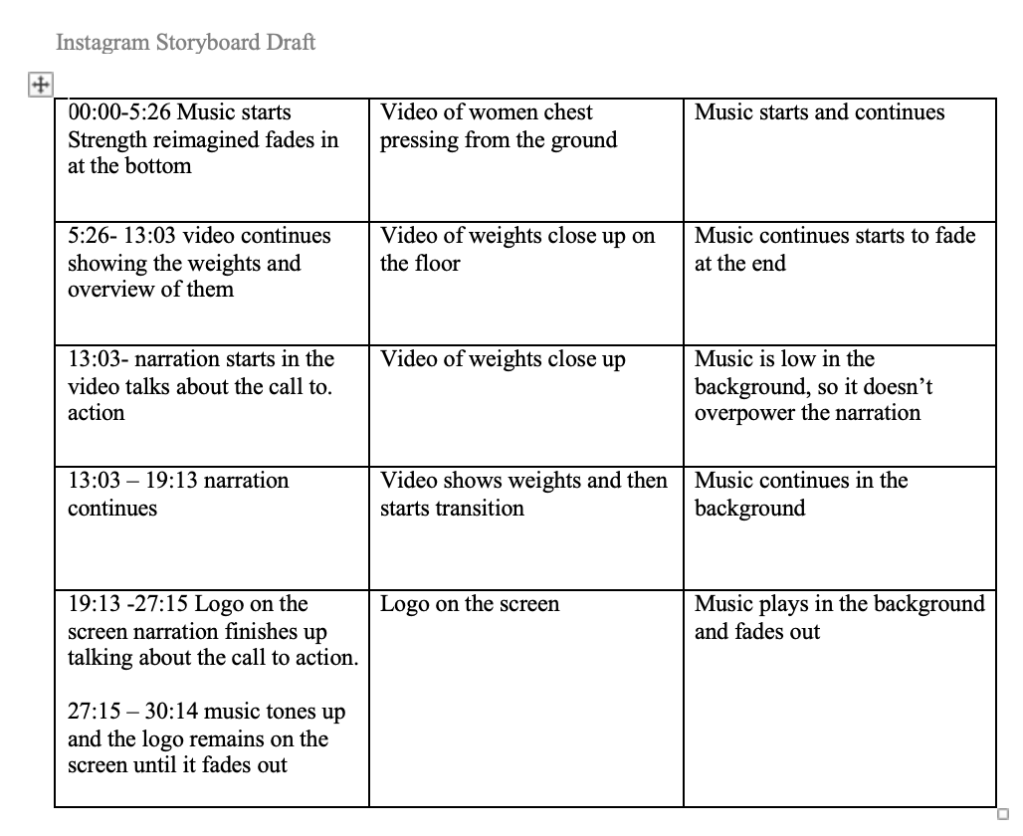
Welcome to the draft of my first video story and storyboards. This was probably one of the more challenging projects that I’ve had in this class. But honestly when I was doing it, I had the most I think confusing part was the actual storyboard part and I know that’s super important when you’re doing a project like this and I think it would have been easier if I was drawing it and not trying to type it out or at least having like actual pictures because I’m more of a hands on person learning than I am over online.
Working with Adobe premium I feel like I learned a lot of stuff and now that I can watch shows I can understand a little bit of what goes into making something like this I could honestly never be a content creator it’s not for me but when I was looking through my videos that I’ve taken in the last couple of weeks at my gym I realized that they’re a little bit sure so I didn’t put into consideration how long 30 seconds actually was in not even the 30 seconds but the one minute and 32nd video that took more video than I wanted it to and I wish I would have had more footage because I had to reuse some for the other two so I think that in my final I will get more video footage so that I have more of an option. I thought that I took enough but like I said I didn’t realize how short the videos were and what it would take to fill a minute and 30 seconds slot.
I really enjoyed doing the watch n do activities this time and getting the opportunity to learn how to add words and have them fade in and out. I used a few of those on my Facebook and I believe on the broadcast story. I had some words fading in and out and that was a really fun tool to use on Adobe premium just going back and being able to look at I guess how far I’ve come since we first started this class, and I used my ergonomic weights was so incredibly crazy to see just how far I’ve come in Adobe. learning how to add my voice and then lowering the music and finding music and adding the music and just fading in and out was a really fun point in this project that I really enjoyed. I will say they’re trying to find the perfect spots to start a new picture and where to insert a lower tone of music was a little bit of a challenge to me, but I think that I picked it up. I did Google a few Adobe tutorials, and I went back to our readings for a few friendly reminders.
I would say overall I loved this portion of Adobe probably more than any of the other ones that we’ve worked in I wish that finding music was a little bit easier I now have multiple accounts for weird websites that I will never use again so that was a little bit tough. But overall, I think that I learned so much I felt super comfortable in this particular Adobe program, and I could see myself using it in the future for little projects. At the end of the day making an Instagram real or like a Facebook post is obviously going to be easier with the other programs that they offer you like cap cut and just the reels templates but I’m glad that I got the chance to put a little bit of effort into this and I look forward to all the great feedback that I’m going to get and being able to change this and perfect it.
 EquityInspiredMama
Leave a comment